 Cryogram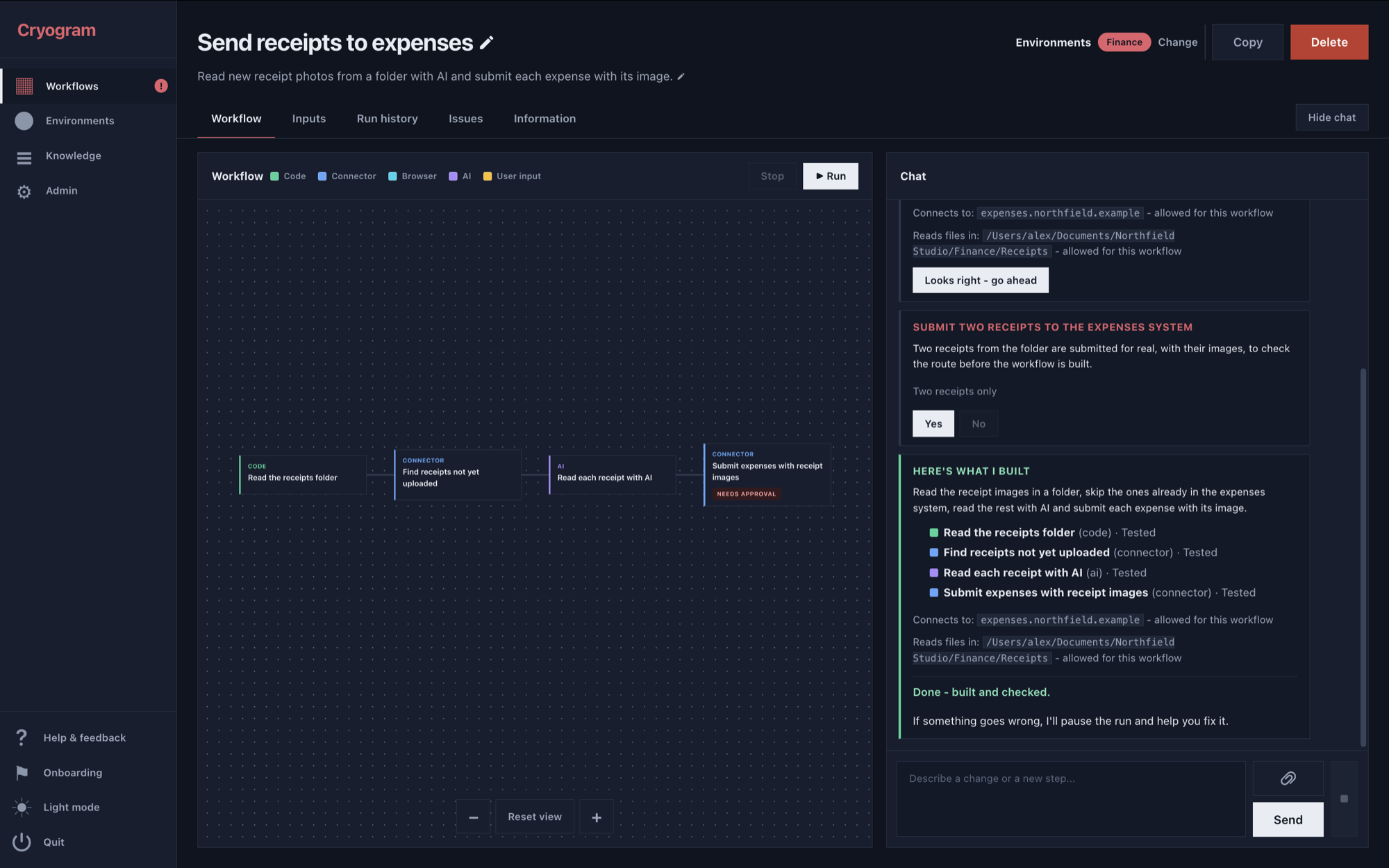
The AI agent can run on your existing Claude or ChatGPT/Codex subscription - no additional login required, or if you prefer, via an API key. Most workflows don't need any AI once they have been built, but the ones that do need an API key. Most model providers are supported.
Cryogram is currently in beta - this means you might hit into some unexpected issues here and there when building, so we recommend testing your workflows a few times before relying on them blindly.
Once a workflow is up and running, there are checks to catch problems and stop it if something goes wrong. Cryogram will store a snapshot of your data until the AI agent has fixed the problem, so you can continue the run from where it stopped instead of starting over again.
Installing
Run the line below in your terminal to download and install the latest version directly from the repository. It will install into its own folder, which you can safely delete if you change your mind.
- Mac:
curl -fsSL https://cryogram.app/install.sh | sh - Windows, in PowerShell:
irm https://cryogram.app/install.ps1 | iex
The installer downloads the source code for the latest GitHub release. It installs into ~/Applications/Cryogram on a Mac or %LOCALAPPDATA%\Programs\Cryogram on Windows, and asks whether to add a shortcut to Launchpad or the Start menu. Once installed, you can also start it by typing cryogram in a new terminal.
If you prefer to download it yourself, choose Source code (zip) on the latest release, unzip it, and open a terminal in the extracted folder: New Terminal at Folder on a Mac or Open in Terminal on Windows. Run sh install.sh on a Mac, or powershell -ExecutionPolicy Bypass -File .\install.ps1 in PowerShell on Windows. The script copies the app into the same installation folder, so it does not stay in Downloads.
You can also clone the repository and run Start Cryogram.command on a Mac or start.bat on Windows directly from your checkout.
What you need to get started
The AI agent runs on Claude Code or Codex, so you need one of them installed on your computer, plus a subscription or an API key. The install script will show you where you can download them from if you haven't.
The workflows themselves run on Python. The install script will check for Python 3.10 or newer when you run it, and offer to download a copy into the Cryogram folder (about 40 MB) if you don't have it.
How Cryogram uses your data
Your workflows and settings are stored in your computer's application data area, separate from where Cryogram is installed, so deleting or updating Cryogram does not cause you to lose anything.
Anything the AI agent uses when building a workflow is sent to your AI provider, like any other project you use it for. Once the workflow has been built, it does not see data from later runs unless you share it, for example when asking it to fix a problem. If the workflow includes AI steps, those steps send their inputs to the provider you have chosen when they run.
Secrets such as API keys are stored encrypted, so the AI agent can see their names, but never their values; the workflow uses them when connecting to the services they are for. When asking you to provide secrets, it will provide a box for you to enter them into rather than a chat - this means it can never see the values.
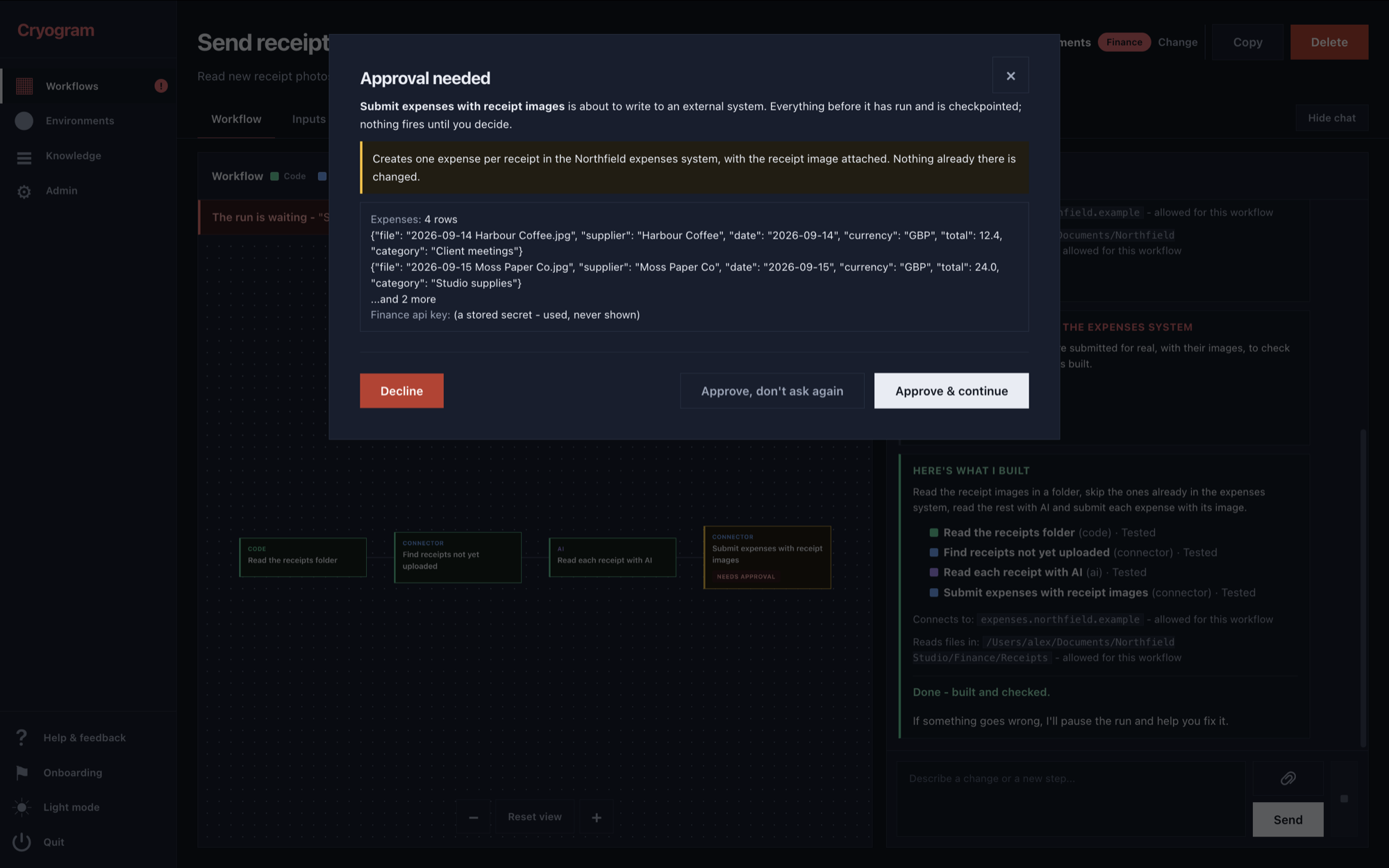
Cryogram always asks for permission before connecting to anything external for the first time or looking in a folder you haven't shared with it yet, and again before sending data. However, certain things can be ambiguous and the line between reading and sending can't be guaranteed in every case. For example, opening a page is meant only to read it, yet the site can still record the visit.
Updates
Cryogram shows a note in the sidebar when a newer release is out. To update, run the install script again: it replaces the app folder, and keeps the private Python and environment it already set up, and never touches your workflows. If you cloned the repository to install, run git pull in the folder and start Cryogram again.
Read on
How it works gives an overview of building, running and changing workflows. More detailed instructions are in the app's Knowledge page. The FAQ answers what people ask before they try it, and the security page says what stays on your machine, what leaves it, and what the app asks before it acts.